Simple List
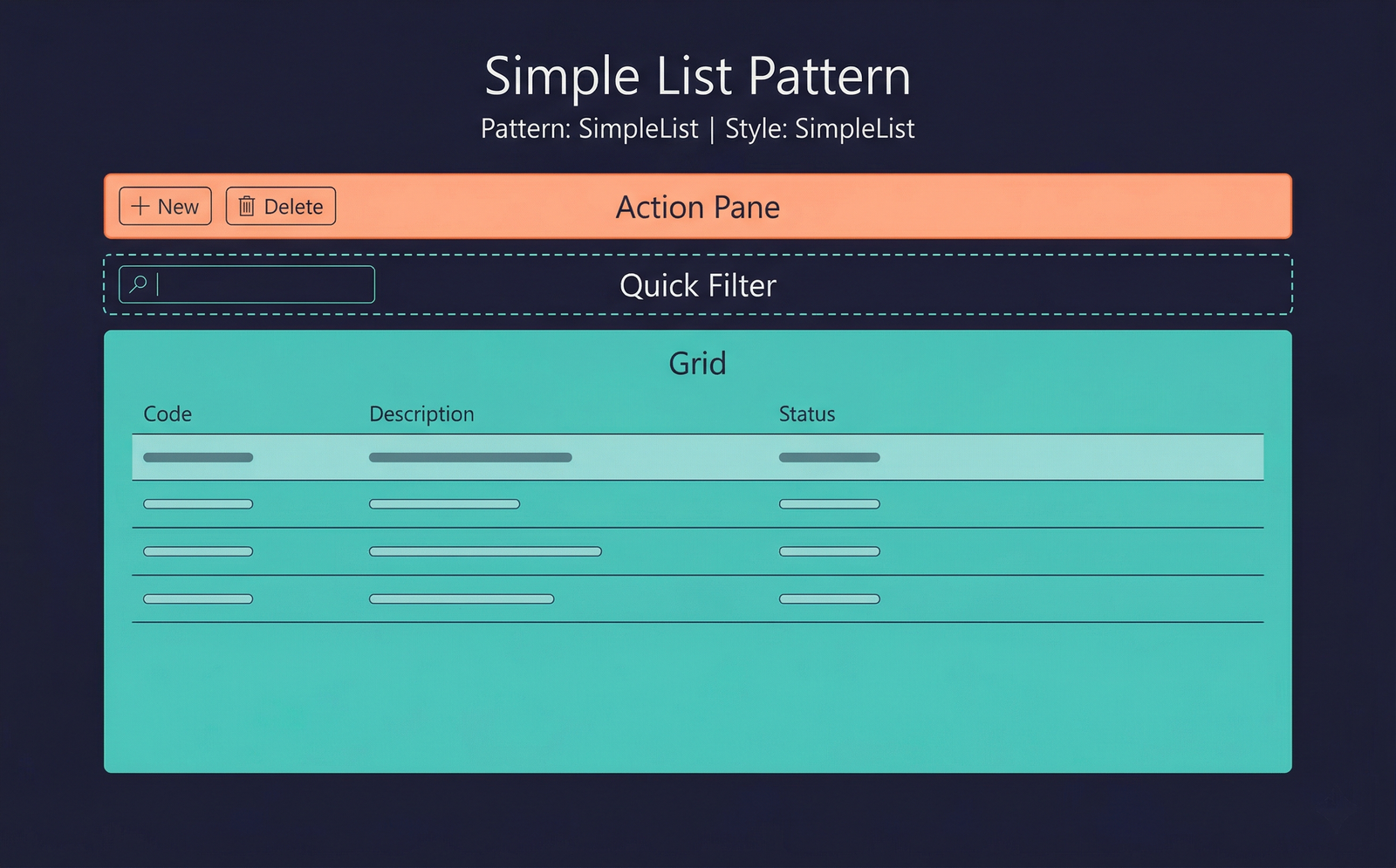
The Simple List pattern is the simplest data-maintenance form pattern. It presents a single, full-width, editable grid where users can create, view, edit, and delete records inline. There is no detail panel — all editing happens directly in the grid rows.
When to Use
- The entity has a small number of columns (typically 2–6) that can all fit comfortably in a single grid.
- The data is simple reference data — codes, types, reason codes, number sequences, or other lookup tables.
- Users need fast inline editing without navigating to a separate detail view.
- There is no parent–child relationship in the data (no header/lines).
If the entity has more fields than comfortably fit in a grid, consider Simple List and Details instead.
Variations
The Simple List pattern does not have formal named variations. However, the grid may optionally include:
- A Quick Filter above the grid for fast searching.
- An Action Pane with New, Delete, and custom action buttons.
Key Components
| Component | Control Type | Required | Description |
|---|---|---|---|
| Action Pane | AxFormActionPaneControl | Yes | Contains at minimum New and Delete buttons. Additional custom actions may be added. |
| Quick Filter | AxFormGroupControl (Custom Filters subpattern) | No | A filter bar above the grid for fast text-based filtering. |
| Grid | AxFormGridControl | Yes | A full-width editable grid bound to the form's primary data source. All columns are directly editable. |
Example Forms in D365 F&O
| Form | Menu Item | Description |
|---|---|---|
LanguageTable | Organisation administration → Languages | Maintains the list of language codes used across the system. A minimal grid with Language code and Description columns. |
ReasonCodeTable | Accounts receivable → Setup → Reason codes | A simple list of reason codes with Code, Description, and Default comment. |
SysEmailTable | System administration → Setup → Email → Email templates (sub-grid) | While the parent form is more complex, several setup sub-forms for email parameters use Simple List. |
CustPaymModeTable | Accounts receivable → Payment setup → Methods of payment | Methods of payment for customers. A concise reference table maintained via an editable grid. |
Infographic Placeholder