Lookup
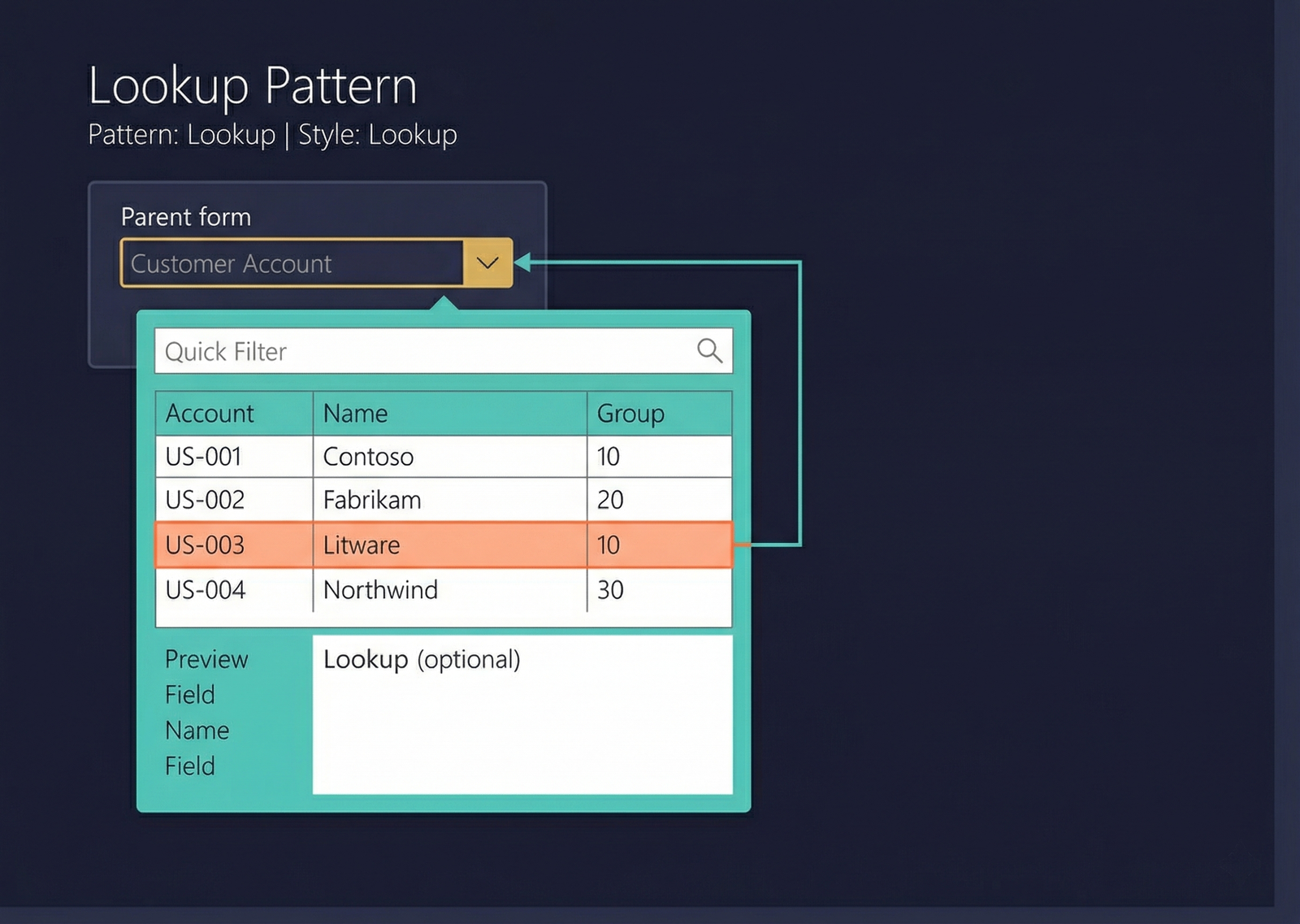
The Lookup pattern is a popup selection form that appears when a user clicks the dropdown button on a reference field. It displays a filterable grid of valid values and allows the user to select one. The lookup closes automatically once a selection is made, and the selected value populates the calling field.
When to Use
- A field needs to present a list of valid values for the user to choose from.
- The lookup data comes from a related table (e.g., a customer account field looks up the CustTable).
- The user should be able to filter, search, and browse the available values before selecting one.
- The lookup appears as a popup anchored to the calling control — not as a full separate form.
Most lookups in D365 F&O are auto-generated by the framework based on the EDT and table relation. A custom lookup form is only needed when the auto-generated lookup requires additional columns, custom filtering, or special behaviour.
Variations
Lookup — Basic
A simple grid with a few columns. The user scrolls or filters to find the desired value.
Lookup with Preview
A lookup that includes a preview pane below or beside the grid showing additional detail for the highlighted record. Used when the grid columns alone do not provide enough context for selection.
Lookup with Tabs
A lookup with a tab control providing filtered views of the same data (e.g., "All", "Recent", "Favourites"). Less common.
Key Components
| Component | Control Type | Required | Description |
|---|---|---|---|
| Filter / Quick Filter | AxFormGroupControl | No | A search bar for quick filtering of the lookup grid. |
| Grid | AxFormGridControl | Yes | A read-only grid displaying the available values. The key column value is returned to the calling field on selection. |
| Preview Group | AxFormGroupControl | No | A detail section showing additional fields for the highlighted record. Not present in basic lookups. |
Example Forms in D365 F&O
| Form | Context | Description |
|---|---|---|
CustTableLookup | Customer account field dropdown | The standard customer lookup. Shows Account number, Name, Customer group in a grid. Filters via Quick Filter. |
VendTableLookup | Vendor account field dropdown | Vendor lookup. Same structure as the customer lookup. |
InventItemIdLookup | Item number field dropdown | Item lookup showing Item number, Product name, and Item group. Supports filtering by various criteria. |
LedgerAccountLookup | Ledger account / main account field | Main account lookup with account number, name, and account type. May include a segmented-entry variant for dimension combinations. |
SysLookup (framework) | Various | The base framework lookup class. Many simple lookups are generated automatically by the SysTableLookup framework from an EDT's table relation. |
Auto-Generated vs. Custom Lookups
| Aspect | Auto-Generated | Custom Lookup Form |
|---|---|---|
| Source | EDT's table relation and reference field configuration | Explicit lookup form defined in the AOT |
| Columns | Determined by the AutoLookup field group on the related table | Developer controls all columns |
| Filtering | Standard Quick Filter | Custom filter logic |
| When to use | Default — use whenever the standard columns are sufficient | When additional columns, preview, or custom filtering is needed |
Infographic Placeholder