Simple Details
The Simple Details pattern is a single-record form that displays fields for one record without a grid or list panel. It is used for entities where the user works with exactly one record at a time — typically singleton configuration records, per-company parameter pages, or forms opened in context from a parent form showing the detail for a specific record.
When to Use
- The form shows a single record — there is no list or grid for navigating between records.
- The entity is a singleton (one record per company or per partition), such as a parameters table.
- The form is opened from another form to view or edit one specific record in a focused view.
- The data is simple enough that one or a few groups of fields are sufficient.
Variations
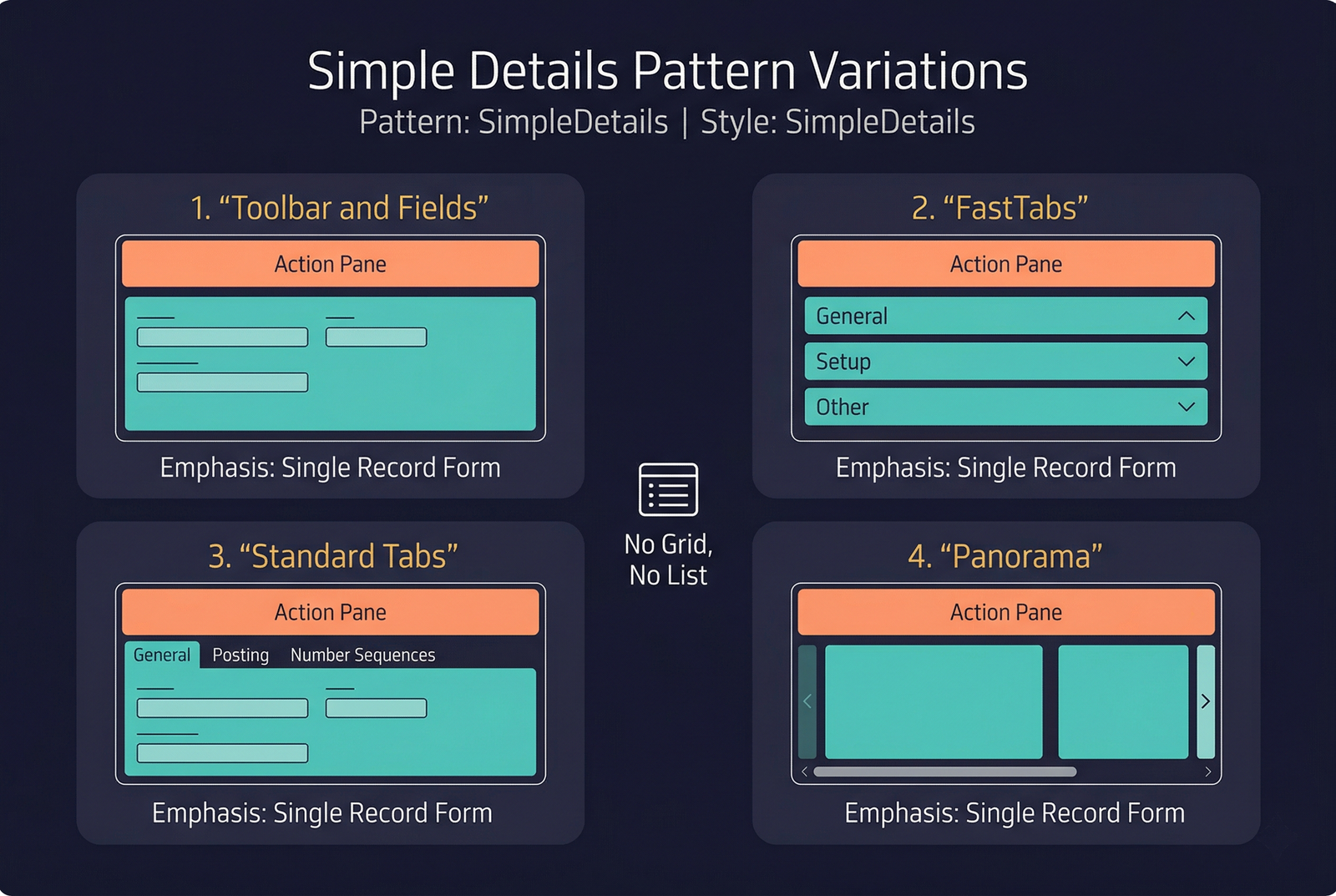
All Simple Details variations share the same core concept (single-record, no grid) but differ in how the fields are arranged.
Simple Details with Toolbar and Fields
The simplest variant. A flat set of fields with an optional action toolbar at the top. No FastTabs, no tabs — just a single group of fields beneath the action pane.
Structure:
Simple Details with FastTabs
The fields are organised into collapsible FastTabs. Use this when the entity has enough fields that grouping them into sections improves readability.
Structure:
Simple Details with Panorama
A less common variant that uses a panorama (horizontal scrolling) layout. The content is arranged in horizontal sections that the user scrolls through laterally. This is a legacy variant; new forms should generally prefer FastTabs.
Structure:
Simple Details with Standard Tabs
Uses standard visual tabs (non-collapsible) to separate content into distinct pages. Appropriate when the entity's attributes form a few distinct, equally important categories.
Structure:
Key Components
| Component | Control Type | Required | Description |
|---|---|---|---|
| Action Pane | AxFormActionPaneControl | Yes | A minimal action pane. For parameter forms, this typically contains only a Save button. |
| Content Group / FastTabs / Tabs | AxFormGroupControl or AxFormTabControl | Yes | The body of the form, arranged according to the variation chosen. |
| Fields | Various input controls | Yes | Data-bound fields for the single record. |
Example Forms in D365 F&O
| Form | Variation | Menu Item | Description |
|---|---|---|---|
CustParameters | FastTabs | Accounts receivable → Setup → Accounts receivable parameters | The AR parameters form. A singleton record with numerous FastTabs covering General, Collections, Number sequences, etc. |
VendParameters | FastTabs | Accounts payable → Setup → Accounts payable parameters | The AP parameters form. Same concept as CustParameters. |
LedgerParameters | FastTabs | General ledger → Setup → General ledger parameters | General ledger parameters. A rich set of FastTabs for ledger configuration. |
InventParameters | FastTabs | Inventory management → Setup → Inventory and warehouse management parameters | Inventory parameters with FastTabs for item, cost management, and quality settings. |
CustEditTrans | Toolbar and Fields | Accounts receivable → Customers → (open a transaction) | A focused form for editing a single customer transaction. Simple toolbar above a set of editable fields. |
Infographic Placeholder